For my first lab assignment, I chose to model the Tower of Hanoi. This is a classic mathematical puzzle and a well-known problem in computer science. In this game, the goal is to move the entire stack of disks from the starting rod to the destination rod while following certain rules:
- Only one disk can be moved at a time.
- Disk must be stacked in ascending order of size
- Other rods can be used as temporary holding spaces

Tower of Hanoi illustrated by Khan Academy
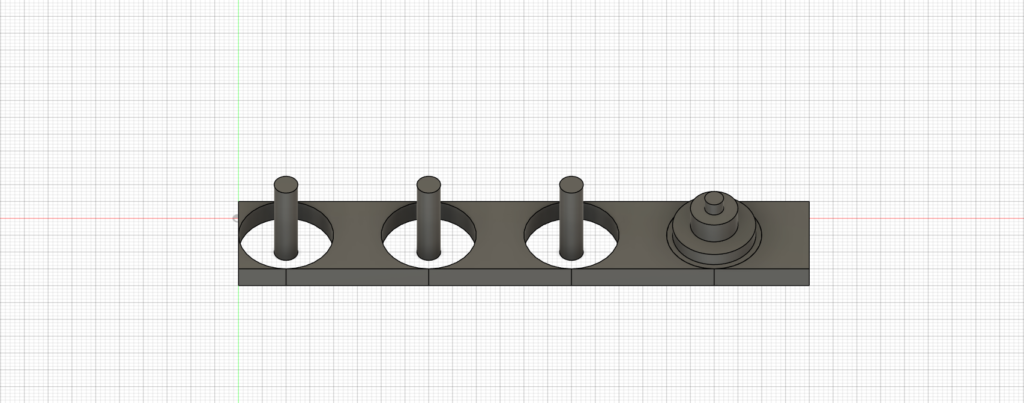
Tower of Hanoi, front view
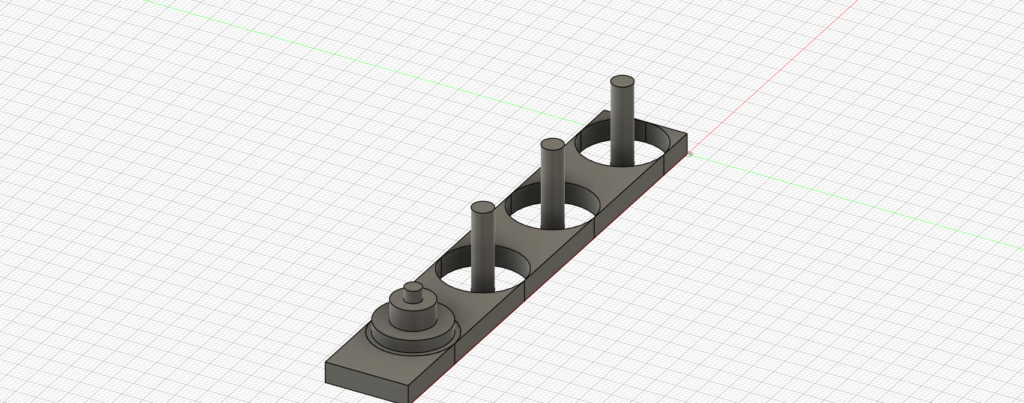
Tower of Hanoi, side view
Process
Overall, modeling the Tower of Hanoi is not difficult because, when broken down, it consists of a combination of rectangles and circles of different sizes. However, I did encounter some challenges when selecting which surface to extrude. Since many disks were stacked on top of each other around the last rod in my model, it was easy to misclick and extrude the wrong disk. Later, I learned that once a piece is completed, it can be set to be selectable or unselectable to prevent misclicking. This was a valuable lesson that will make my future modeling process more efficient.
Since all the rods are identical, I initially tried to create a single rod and find a way to copy and paste its properties to the others. However, I was unable to find the right tools for this. As a result, I had to manually model each rod, even though they were exactly the same. There must be a quicker way to achieve this, and I believe I will figure it out one way or another as long as I continue to put in the effort.
I believe Fusion 360 can be a great tool for teaching Calculus 3, multivariable calculus, or any subject that requires strong spatial visualization skills. With Fusion 360, it becomes easier to display complex structures that are hard to imagine, making it more effective for instructors to explain abstract concepts through clear visualizations.
One tip I would recommend is to start modeling objects in the XY-plane so that a solid base is formed first. Based on my experience, having a base makes the subsequent workflow smoother, likely because it mirrors real-world construction, where the foundation is always the starting point.

Hello Peter! I did not know we could set certain parts to be selectable/unselectable! I had trouble with accidentally modifying parts of my model that I didn’t want to change, so that is a useful tip that I will keep in mind if we continue to work with Fusion. I also had trouble copying and pasting, so I hope that we both find a solution to that problem. I would try the Move/Copy tool, but it always seemed like I could never copy. Your final product definitely looks like a Tower of Hanoi and I appreciated your tips!