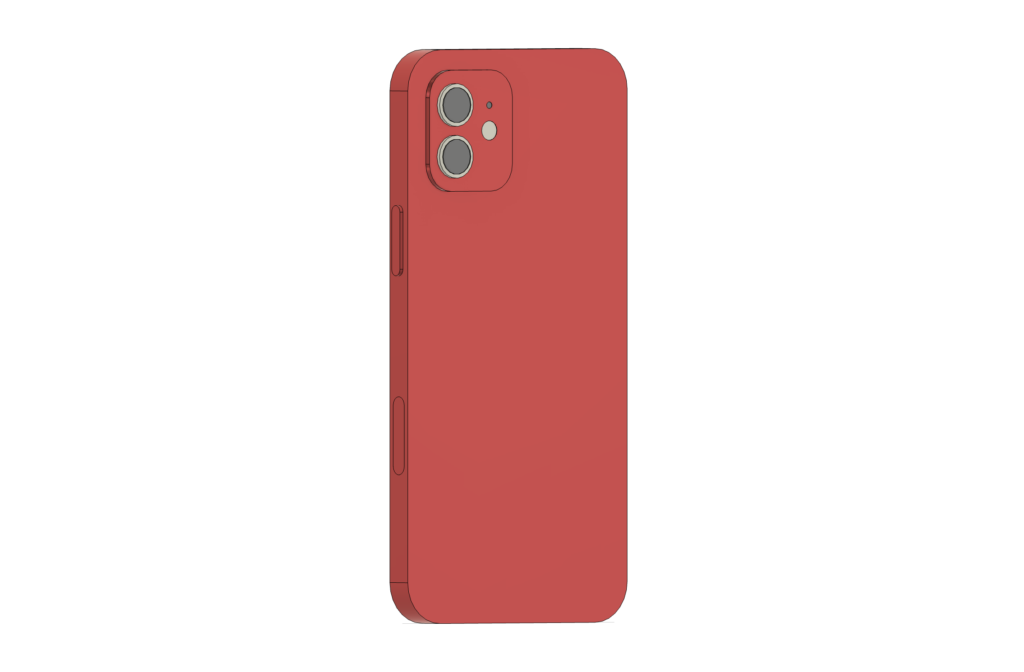


This was my first ever creation with 3D modeling and I chose to create an iPhone 12 model. This process was especially challenging to me as I had no previous experience with Fusion or other modeling technologies.
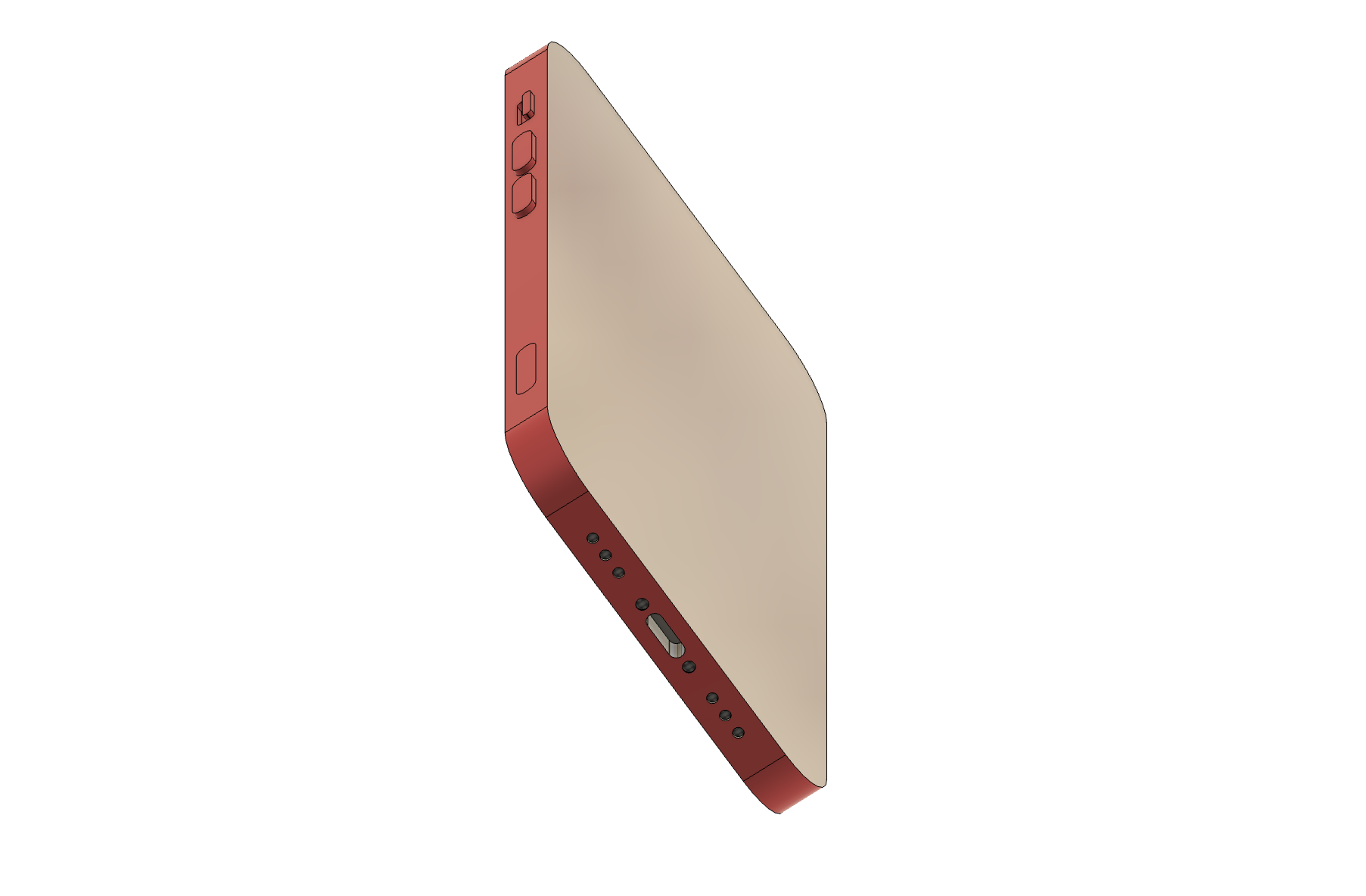
The process started relatively easy as I initially created a large rectangle to serve as the base for the iPhone. However, I soon realized that the iPhone was more complicated than it looked and it required me to focus on the details – buttons, camera lenses, and speaker holes. One particularly challenging element was designing the speaker holes (figure 2). It was especially hard to ensure that they were evenly spaced as I struggled to figure out the right tools for the job. For this, I just ended up measuring my computer screen with a ruler to ensure similar space between circles.
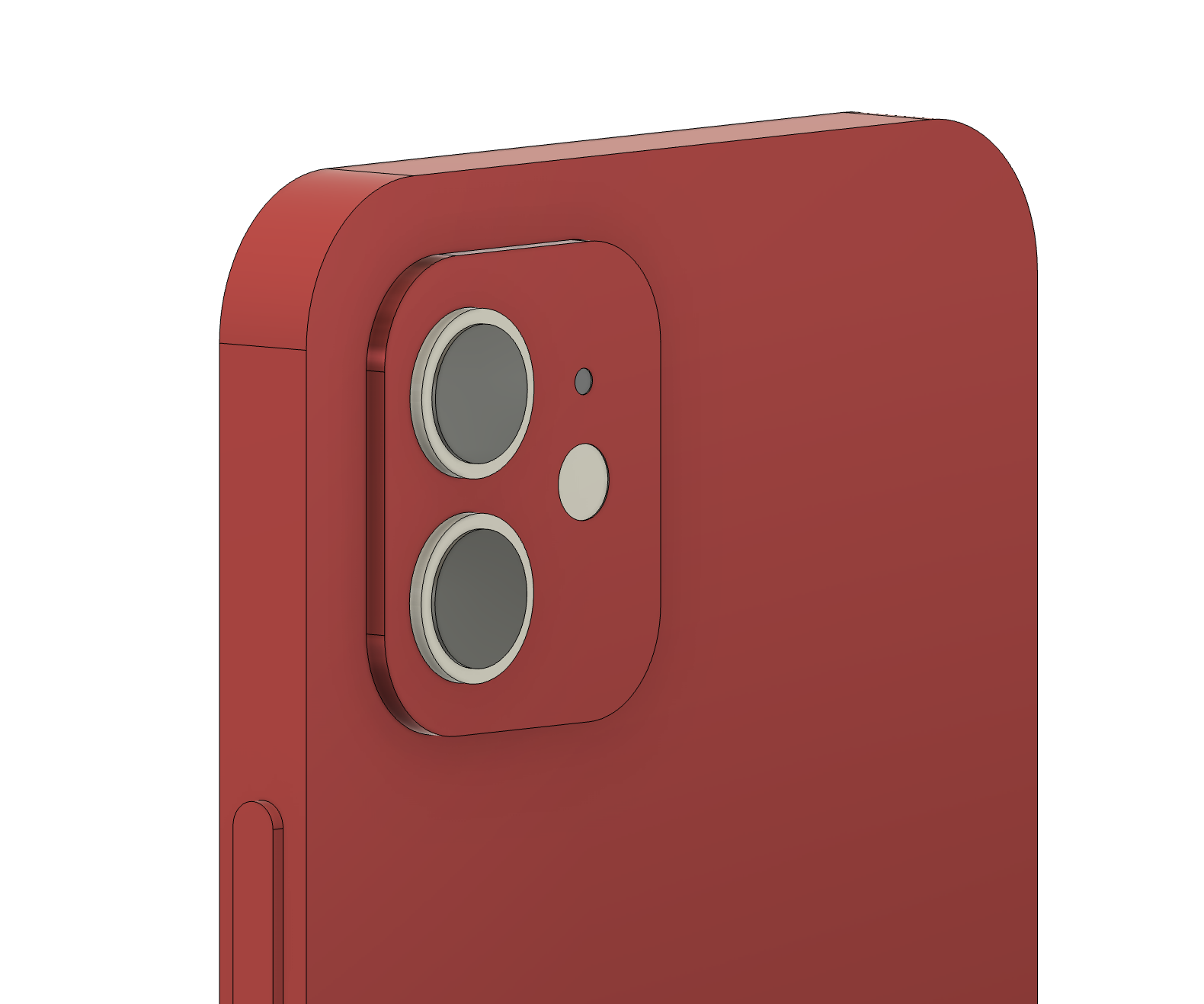
One of the compromises I had to make was the choice of materials. While Fusion did offer various material options, I could not find options that accurately resembled the iPhone’s actual textures. As a result, I ended up using black fabric for the speaker holes and black chrome for the camera lenses, which was not ideal but the best option available for what I could do with Fusion.
A tip I found on the internet that was helpful was when the material is applied to the whole element instead of just one side, I extruded the face very minimally (0.0001mm) and it enabled me to apply the material without ruining the design.
Beyond just creating objects, I can envision 3D modeling tools like Fusion being used for teaching as it can provide students with experience in visualizing and building models of concepts, historical structures, or scientific structures.

Hi Esther, your model is amazing! As someone who has used a red iPhone 12 before, your design feels so realistic—the details on the camera, charging port, and buttons are incredibly accurate, and the materials look very true to life! I also appreciate the helpful tip you shared about applying materials without ruining the design, that’s very helpful!
This is really good, especially for your first time! I love that you were able to find realistic looking materials although sometimes you have to be creative with getting things that are close enough in fusion. Also that’s a really useful tip! When I was modeling the die, it looked glitchy when I changed materials.